GET MORE FROM THE GAME
Reaction Time Duel: strategy, examples and practical advice
Prefer a visual example? Watch the Reaction Time Duel gameplay tutorial before reading the detailed strategy.
A reaction game with a simple green signal
Reaction Time Duel asks you to do one thing at the right moment: wait for the play area to turn green, then tap or click. The challenge comes from holding back during the wait and responding once the signal actually appears. You can practice alone against a computer time or share a private room with a friend for five casual head-to-head rounds.
The game is intentionally small. There is no long course to navigate, no sequence of targets to memorize, and no account required before the first attempt. That simplicity makes it useful as a short browser reflex game. It is important to understand the measurement, though: an online reaction result reflects the device and application around your response as well as the action of noticing the signal and pressing a control.
How a five-round reaction duel is scored
Both players press Ready before a round starts. The game introduces a wait, then changes the play area to green. After both results are recorded, the lower time earns one point. Equal results award no point to either seat. The match continues through five rounds, and the higher point total wins; equal totals produce a draw.
This is round-by-round scoring, not a contest for the lowest combined time. A player who wins three rounds narrowly can defeat a player who wins two rounds by a larger margin. One exceptionally quick result does not automatically decide the entire match. Read the scoreboard alongside the recorded milliseconds so you know whether a good individual attempt has earned one point or completed the overall contest.
A worked example of rounds versus averages
Imagine one player records the lower time in rounds one, three, and five. The opponent is quicker in rounds two and four. The first player wins three points to two, regardless of whether the other person’s two winning results were especially fast. Each round contributes at most one point to the match.
Now imagine one of those rounds gives both players the same recorded result. That round awards neither person a point, so the final score can total fewer than five. This is not a missing result or an extra tiebreak stage. It follows directly from the rule that equal times do not create a round winner. Looking at the five individual outcomes explains the final scoreboard more clearly than calculating an average the game does not use.
False starts and missed signals
Tapping before green is a false start and records a fixed result of two thousand milliseconds. If a player does not respond within the five-second response window after the signal, the game records five thousand milliseconds. These values are game rules for handling an early press or an unfinished attempt; they are not measurements of how quickly that person actually responded to green.
A penalty is a recorded result rather than a separate instant-disqualification rule. The round still compares the two recorded values. The intended way to play is to wait for the visual change and react honestly, not to treat the penalty numbers as an alternative strategy. If you tap early, use the next ready check to reset your attention rather than clicking repeatedly through the rest of the round.
What your displayed reaction time includes
Solo play uses the timing available inside your browser. Friend matches use the room server’s signal and the arrival of the tap request. That means an online friend result includes application timing and network effects. The signal also reaches the visible page through room updates, so the interval you see should not be interpreted as a laboratory measurement isolated from the rest of the system.
Screen refresh behavior, input hardware, browser scheduling, background activity, and connection conditions can all affect a result. A mouse click on a computer and a tap on a phone do not create identical measurement conditions. The numbers are useful for enjoying this particular casual game, but they should not be presented as a diagnosis, a fitness assessment, or a precise comparison of two people’s underlying biological reaction speed.
Make comparisons more consistent
If you want to compare attempts informally, keep the setup as similar as practical. Use the same device and input method for several rounds, keep the game visible, and avoid switching between a phone and a computer while treating every millisecond as directly comparable. A stable connection also makes friend results easier to interpret.
This does not remove every source of timing variation, and you do not need an elaborate equipment checklist for a friendly match. The useful principle is consistency. If you change the hardware, browser, or connection, acknowledge that the conditions changed too. A result that improves after switching devices may say something about the setup rather than proving that a person suddenly became much faster at noticing the same signal.
Wait for the signal instead of predicting it
The pause before green creates anticipation. After several attempts, it can be tempting to guess when the change is about to happen and press just before you think it should. That turns the attempt into a timing prediction rather than a response to the visible signal, and an early press receives the false-start result.
A practical approach is to keep your attention on the play area and your hand comfortably positioned over the control. Wait for the actual visual change before acting. If a previous false start makes you tense, pause before pressing Ready again. There is no advantage in carrying frustration directly into the next attempt. The short break between rounds is part of keeping the game enjoyable rather than turning a simple click into a source of unnecessary pressure.
Look at several attempts without overreading them
One unusually fast or slow result can happen in a short session. You may have been distracted, changed your grip, or encountered an application delay. Review several attempts under similar conditions before deciding that a pattern is meaningful. Even then, keep the conclusion limited to what the game actually recorded.
There is no universal good score or age-based benchmark built into this version. The computer’s practice times are part of a casual opponent, not a published scientific norm. Avoid using a single browser result to make claims about health, attention disorders, driving safety, sporting ability, or somebody else’s capacity to react. A useful personal practice goal is simpler: wait correctly, make a deliberate response, and notice whether your setup and attention remained consistent across the five rounds.
Playing a reaction challenge with a friend
Create a room and share its invite with one friend. Once both seats are present, each person presses Ready for the next round. That mutual check gives both players a chance to prepare rather than letting one person trigger a signal while the other is still looking away. The recorded results and points update in the shared room.
If you refresh, return in the browser you used to join so your saved access can restore the seat. Rooms expire after twenty-four hours, and both people must request a rematch after a finished five-round match. There are no wagers, public rankings, or cash prizes attached to the outcome. Use the comparison for a little friendly competition, and remember that different connections can influence a close-looking result.
Accessibility, motion, and choosing another challenge
The important signal is the visible change of the play area, accompanied by text indicating when to tap. Decorative motion elsewhere on the site honors reduced-motion preferences. Turning off those animations does not remove the ready check or the round result. Choose a comfortable input method, and take a break if repeatedly trying to beat a time stops being enjoyable.
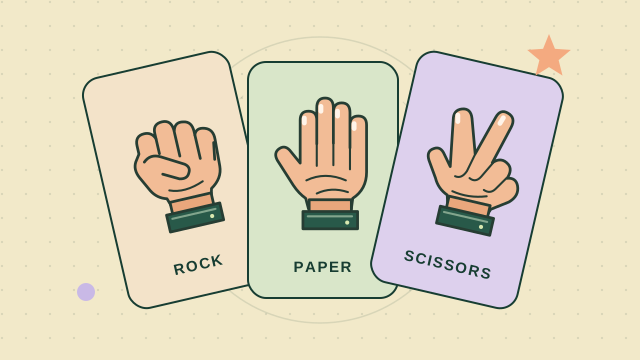
For another quick two-player contest, Rock Paper Scissors emphasizes secret choices and animated hand reveals instead of measured taps. Memory Match Duel offers a calmer visual challenge with no speed bonus, while Dots and Boxes gives you time to inspect each move. Reaction Time Duel is here when a clear signal and a short burst of suspense are the break you want.